Resources
All energy types, fuels, auxiliary products such as water, oxygen, CO2, ect. are defined as resources in energyPRO.
A new energyPRO 5.1 project file contains by default four resources: - Heat - Electricity - Cooling - Process Heat
These four resources correspond to the four built-in energy types in previous versions of energyPRO.
You have two options for including resources used in your project. The first option is to include them from a library. The second option is to add a new resource. You can use earlier saved sets of resources as a starting point, when you edit data. Click on the “Resources” section on the left vertical menu, select “Load resource” on the top ribbon and choose the data you want to import. The imported data are now present in the editing window and can now be edited.
With the generalized structure of energyPRO 5.1, you can easily add more types of heat, such as low or high temperature heat, or electricity, such as AC or DC electricity.
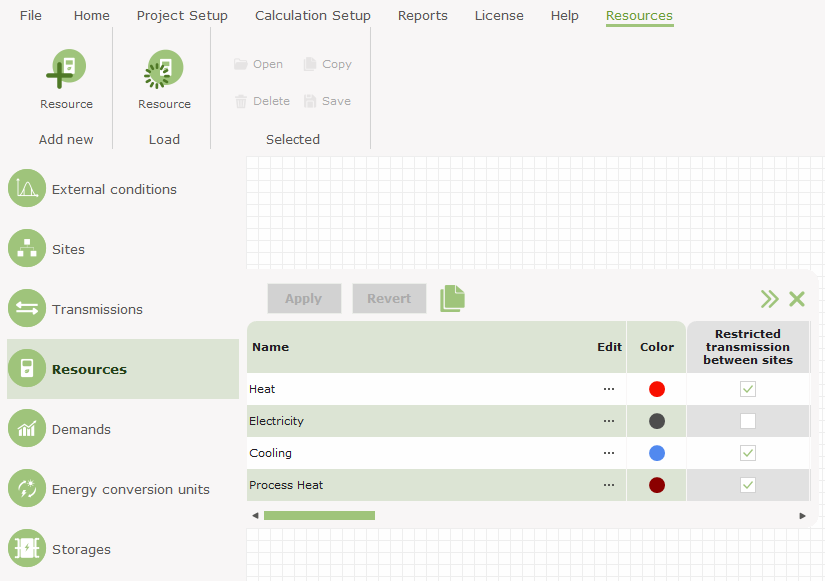
If you want to add new data then click on "Resources" on the left-hand vertical menu and select “Add Resource" from the tab that appears above. Additionally, you can right-click in the Graphical User Mode’s editing window, select "Add" and choose "Resource". An empty resource editing window is now shown, and your data can now be filled in.
Editing options for editing a specific fuel
The image below shows the editing options when editing a specific fuel. Beside the “load” and “add” options, there are the options to:
- Copy resource – making a new copy in the resoruce list
- Rename resource – setting the active resource name in editing mode
- Delete resource – Deleting the active resource
- Save resource – Saving the active resource, invoking a save dialog
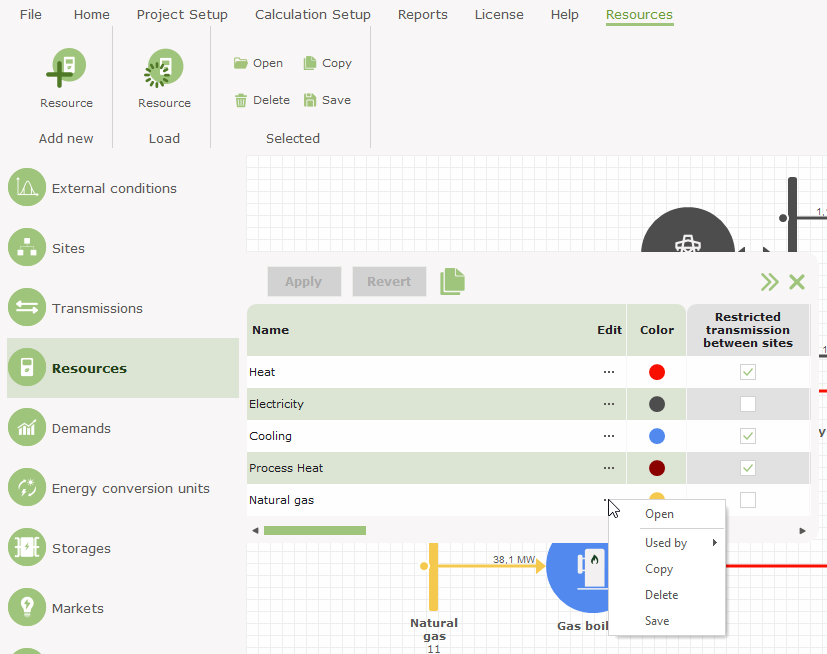
Editing the resource
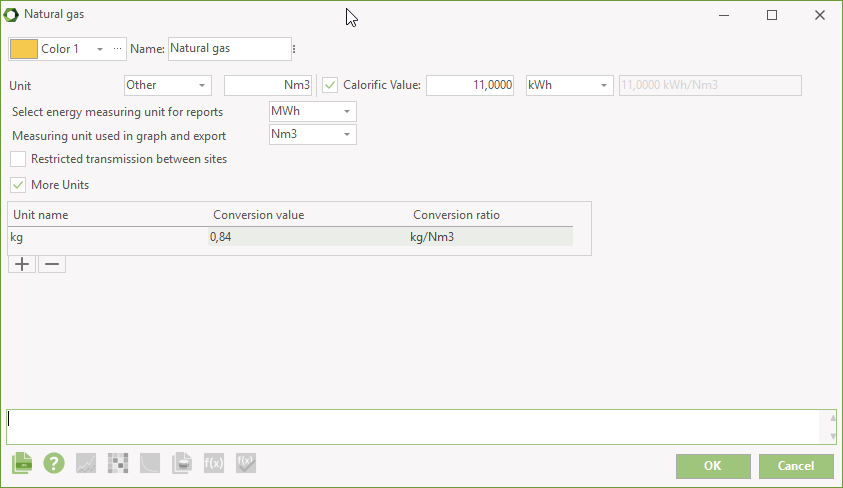
Depending on the settings, the resource window has different parameters. The below screenshot shows a typically setting of a fuel including calorific value, measuring units, etc.
Unit
If you set the unit to Other, then you type the name of the unit, in which the resource is measured, e.g. biogas can be delivered in \(m^3\) (cubic meter) or it can be delivered in ‘MWh’. The unit is for instance used in the Calorifc value combo-box placed to the right.
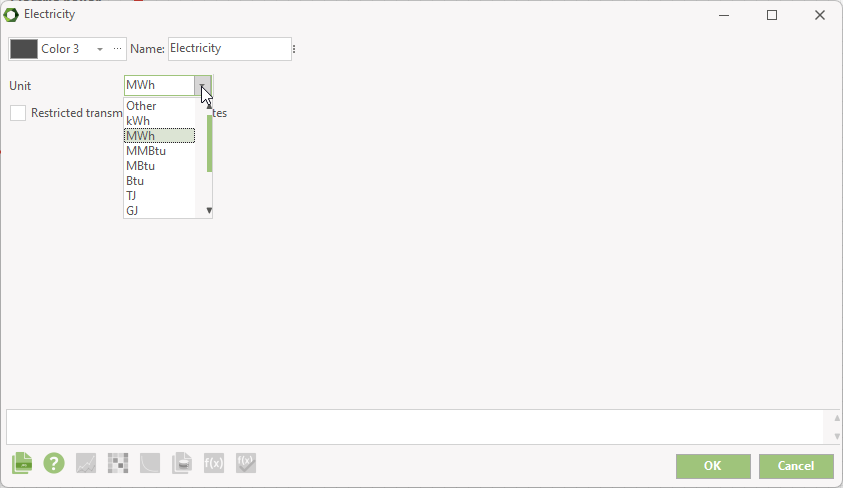
If you set the unit to any of the energy measuring units, the resource window looks more simple.
Calorific value
When having set the Unit to Other, you have the option of including a calorific value. The calorific value consists of two data fields. In the first you type the heat value as a number. The second field is a combo-box in which you choose the corresponding energy unit.
When the resource is not combustible, you don't enable the calorific value. You can use resource to simulate any type of product included in the simulation. It can be water for hydrogen production or \(CO_2\) for methanization.
Select energy measuring unit for reports
When having enabled calorific value, you select in which energy measuring unit to show the resource in the reports. This energy unit is also used in the MILP calculation.
Measuring unit used in graph and export
In the text reports, the amount consumed or produced of the resource is represented in both the resource unit and the energy unit. In Production, graphic and in energy conversion export we only show the amount in one unit. Here you select which to use.
More Units
With More Units it is possible to one or more measuring units for the resource. If the resource unit is in Nm3, you can add a unit to have the amount in e.g. kg as well. The conversion value is in relation to the resource unit.
Restrictions, storage and \(CO_2\)
In energyPRO 5.1 the Offered fuel is no longer defined on the resource. Instead, the resource is to be imported by a resource market. If the resource is purely produced by conversion units in the project, no market is needed. Any restricted amounts are set on the market as grid restriction. The \(CO_2\) factor is also moved from the fuel definition to the resource market.
Similar with the fuel storage. You no longer define a fuel storage on the resource. Instead you add a separate resource storage.