Storages
Storages in general
Storages are added by clicking “Storages” on the left-hand vertical menu and selecting a storage type from the tab that appears above. Additionally, this can also be achieved by right-clicking in the Graphical User Mode’s editing window, selecting “Add” and choose “Store”.
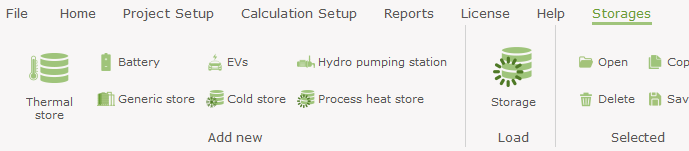
When selecting one of these the storage window is prefilled to match the selection, but in the storage window you can at any time change storage type, site and resource.
Storage capacity
The storage capacity can be set in five different ways.
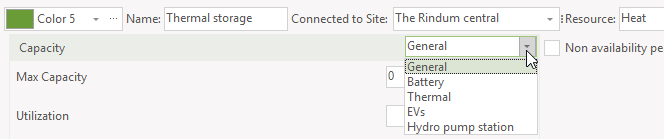
General
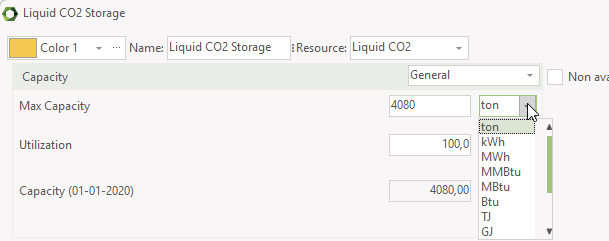
The general capacity is the most simple one. You add the max capacity and select a measuring unit. Next set the utilization factor. The utilization factor can reflect both technical restrictions and operational reasons.
The max capacity can be a number or a formula.
When having a fuel or CO2 storage or similar, use the general capacity. For the measuring unit you can select amonth the resource unit and energy units.
Battery
The capacity setting of the battery is very similar to the general capacity setting.
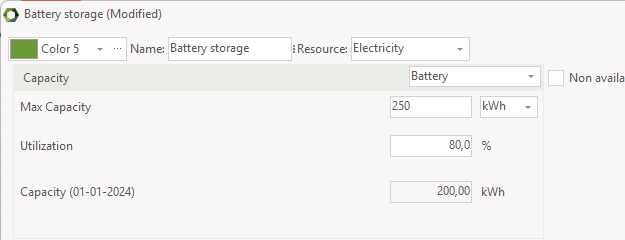
The Max Capacity can be stated as a formula, enabling you to simulate degradation of the battery.
In the formula, you can use the function cycles.
One cycle is defined as a discharge from full capacity to empty battery. Similar two times discharge from full to half equals one cycle.
The number of cycles is accumulated and the capacity in a given month is based on the accumulated number of cycles by the end of the previous month as illustrated by this extreme example.

Thermal
The setting of the thermal capacity is based on storage volume of water and difference between top and bottom temperature.
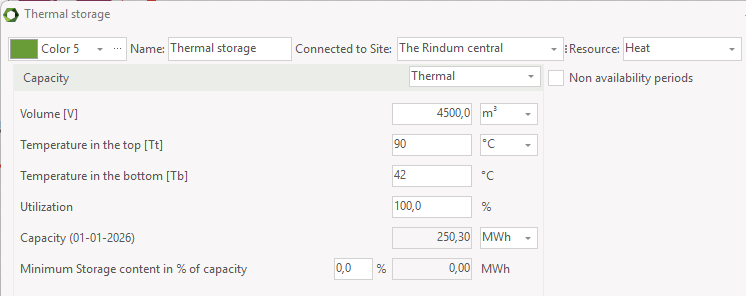
Volume: Is the volume of the thermal store.
Temperature in the top: The temperature in the hot zone at the top of the thermal store. This temperature can be defined as a function using external conditions.
Temperature in the bottom: This defines the cold temperature at the bottom of the thermal store. Together with the temperature in the top this temperature is used to calculate the temperature difference.
Utilization: The percentage of the net volume actually used. The utilization might reflect both technical restrictions (e.g. volume below injection point), and operational reasons.
Storage capacity: Based on the information stated above, storage capacity is calculated and shown.
Minimum storage content: If you want the storage content never gets below a certain percentage, set it here. Effectually, the useable storage content is reduced accordently.
EVs
If you have a group of electrical cars you can regard them as a battery capable of storing electricity from the grid in their batteries, but also capable of producing electricity back to the grid. This is very similar to the Battery electricity storage, but two things make electrical cars special:
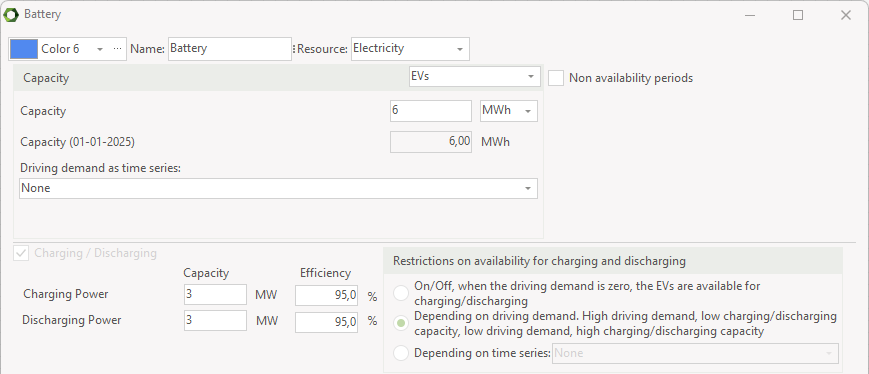
Driving demand: Compared to a simple battery, EVs will drain the battery as they drive around. So for EVs, electrical storages you have to define the driving demand as a time series.
Availability for charging/discharging: An electrical car will only be available for charging/discharging when it is connected to the grid. In energyPRO this can be simulated in three different ways:
- The simple method: When the driving demand is zero the EVs are available for charging/discharging.
- A more sophisticated method: The peak demand (seen during the month) is equal to zero charging/discharging. Zero demand is equal to full charging/discharging. Any value as percentage of the demand in between peak and zero sets the reciprocal value in percentage of the charging/discharging.
- A third method: A user defined time series. 0 is equal to zero charging/discharging. The highest number is equal to full charging/discharging.
Hydro pumping station
A Hydro pumping station is an electrical storage that utilizes the potential energy in elevated water. So, the charging unit is a pump that uses electricity to pump water in to an upper reservoir. When electricity is needed or it makes sense to sell it, the water is let through a turbine from the upper reservoir to the lower reservoir and thereby producing electricity.
For the Hydro pumping station the electrical capacity is defined through the attributes of the two water reservoirs:
- Height difference: The height in meters between the two reservoirs
- Water reservoir: The volume of the upper reservoir in \(m^3\)
- Utilization: The amount in percentage that can be used of the reservoir
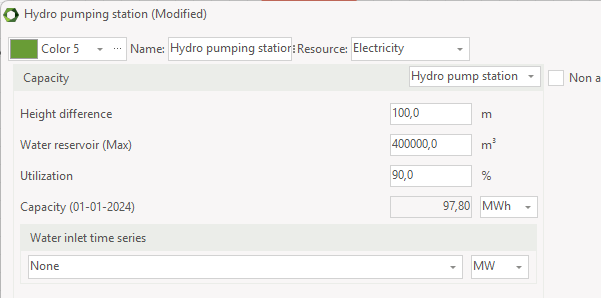
Based on these attributes the electrical capacity, STcap, is calculated as follow:
Where:
\(V\) is the volume of the elevated water, \(m^3\)
\(\rho\) is the density of water ≈ \(1000 kg/m^3\)
\(g\) is gravity, \(9.8 m/s^2\)
\(L\) is the elevation or height difference, \(m\)
\(u\) is the utilization factor in percentage
This capacity is measured according to the elevated water. The electricity output will be lower due to the efficiency of the turbine; likewise, the electricity input will be higher due to the efficiency of the pump.
The charging and discharging capacity of the hydro pumping station is set by the electric capacity of the pump and the turbine.
For a Hydro pumping station it is also possible to include a water inlet which is used to simulate water coming in to the upper reservoir. The water inlet is selected as a time series which can be either in the form of potential electrical energy (MWh) or in the form of water running to the reservoir per hour (\(m^3/h\)).
Charging/Discharging
On all types of storage it is possible to set Charging / Discharging constraints.
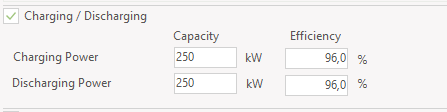
When having electrical storages such battery, EVs or Hydro pumping station, the setting is mandatory. In energyPRO an electrical storage is basically a storage that can store electricity by converting it to another energy type (called internal energy type). So you should think of an electrical storage as a unit that consists of three individual units; a storage unit, a charging unit and a discharging unit.
The charging unit uses electricity and converts it to the internal energy type and the discharging unit uses the internal energy type to produce electricity.
These units will have a capacity and an efficiency. The capacity indicates the amount of energy they can convert and the efficiency indicates the loss associated with converting the energy.
If the EVs is not able to charge back to the grid, the discharge capacity shall be set to zero.
In energyPRO 5.1 it is also possible to set charging and discharging constraints on thermal and fuel storages. Often the efficiency will be 100% in such cases.
Storage loss
Depending on the selected type of capacity, the storage loss has different settings.
When the capacity type is Thermal, the storage loss can be set according to storage high and radius, insulation and ambient temperature.
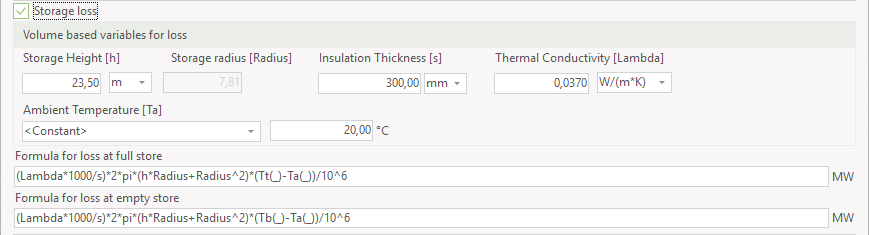
The thermal store loss is defined by: Loss when store is full and loss when store is empty. Both these losses can vary over time, which means that they can depend on things like temperature variations in the planning period. In order to calculate the loss at a given storage content linear interpolation is used, so if the storage is 75% full the loss will be (Loss at full – Loss at empty) * 0.75 + Loss at empty.
Defining the loss at full and empty store can be a tedious task for the user so therefore energyPRO allows the user to define the loss via:
- Temperature at top and bottom (already defined as part of the thermal store capacity)
- Storage Height, which is the height of the storage in meters
- Insulation thickness in mm
- Thermal conductivity of the storage walls
- Ambient temperature, which is the temperature the storage is located in. This can be constant if the storage is located inside the building or it can be dependent on a time series if it is located outside
Based on these attributes energyPRO will calculate the two losses, however it is also possible for the user to define the losses freely using functions and time series.
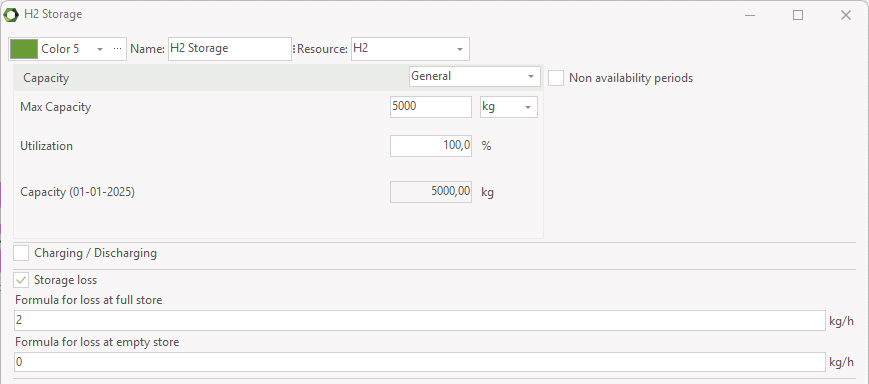
When the capacity type is not Thermal, the storage loss at full storage and empty storage can be defined by user defined formulas.
Storage content
By default, generic and thermal storages start and end empty. However, if you have specified a minimum storage content, the storage will by default start and end at that. This is expressed by the function MinContent.
The electric storages start and end by default full.

Likewise, if you want the storage to start and end with full content, you can use the function FullContent:

If you want the storage to start and end with half content you can write a function like this:

When being in OPERATION module, you have the option of setting both start and wanted end content.

The storage content at end of calculation will be the wanted content or more. In some situations, you can have a calculation where the end content is higher than the wanted content, typically due to the production of the resource being very cheap.
Operation restricted to period: If you are working in Finance or Accounts you have access to this point. Checking this point gives you access to state the period where the unit exists. No specification means that the unit exists in the whole planning period.
Non-availability periods: By checking the “Non availability periods”, you get access to a table where you can specify periods, where the actual energy unit is not available for operation.